ERPintegrators.comby Solvync Inc.
Odoo 17, 18, 19 and 20 | US$199 on Odoo Apps
T4A and T5018 slips from the payments already in your Odoo
Check every slip against your records before you file. Solvync Inc. has no affiliation with the Canada Revenue Agency, and CRA has not endorsed this module.
Every February somebody exports a year of vendor bills, works out which ones were paid inside the year, adds up each contractor in a spreadsheet and emails three of them for a SIN. The totals go on the slips and the slips go to CRA, and nobody is quite sure the spreadsheet matched the bank.
This module does that arithmetic inside Odoo 17, 18, 19 and 20. It reads the bills you posted and the cash you matched to them, builds a slip for each contractor with every payment behind the amount, and checks the CRA XML file against CRA's 2026 submission schemas now. The default changes to the 2027 package on January 11, 2027, independently of the tax year on your return.
At a glance
- Runs on
- Odoo 17, 18, 19 and 20 Community and Enterprise, on Odoo.sh or your own server
- Server platform
- Linux server; access Odoo through a web browser
- Slips
- T4A box 048 and T5018, with amended and cancelled slips
- Licence
- GNU LGPL, version 3; public source repository
- Versions
- Odoo 17: 17.0.1.4; Odoo 18: 18.0.1.4; Odoo 19: 19.0.1.3; Odoo 20: 20.0.1.3. Stable releases, US$199 per Odoo version on Odoo Apps.
- Published by
- ERPintegrators.com, by Solvync Inc.
Odoo 20
Version 20.0.1.3, stable release. US$199 (USD) on Odoo Apps.
Buy Odoo 20 app for US$199Public source ZIP for Odoo 20Release notesOdoo 19
Version 19.0.1.3, stable release. US$199 (USD) on Odoo Apps.
Buy Odoo 19 app for US$199Public source ZIP for Odoo 19Release notesOdoo 18
Version 18.0.1.4, stable release. US$199 (USD) on Odoo Apps.
Buy Odoo 18 app for US$199Public source ZIP for Odoo 18Release notesOdoo 17
Version 17.0.1.4, stable release. US$199 (USD) on Odoo Apps.
Buy Odoo 17 app for US$199Public source ZIP for Odoo 17Release notes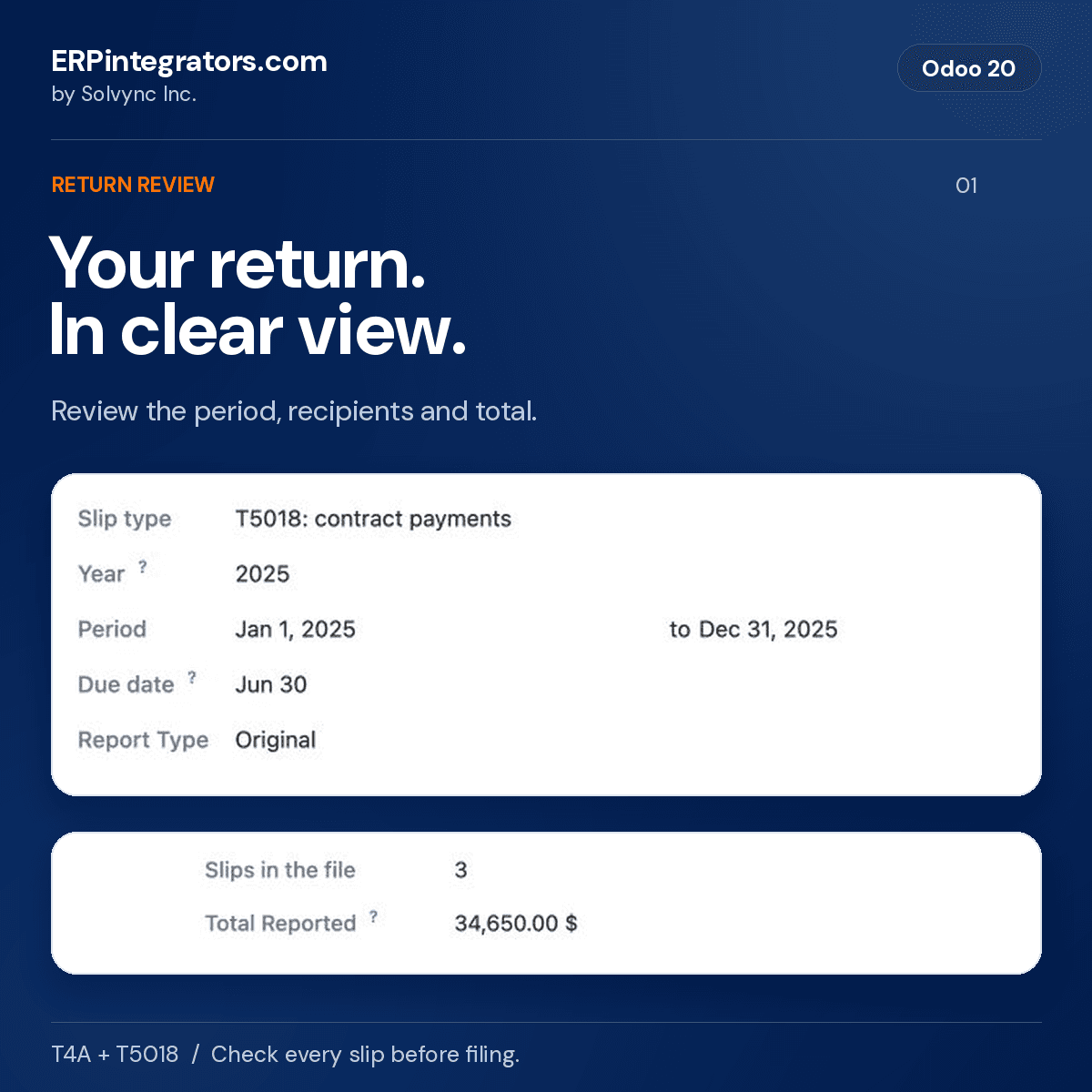
Watch the workflow in your Odoo version
A 16-second T5018 example: calculate three slips, review a contractor's amount and matched bills, finalize, then download the CRA XML file. Review the file and upload it to CRA separately.
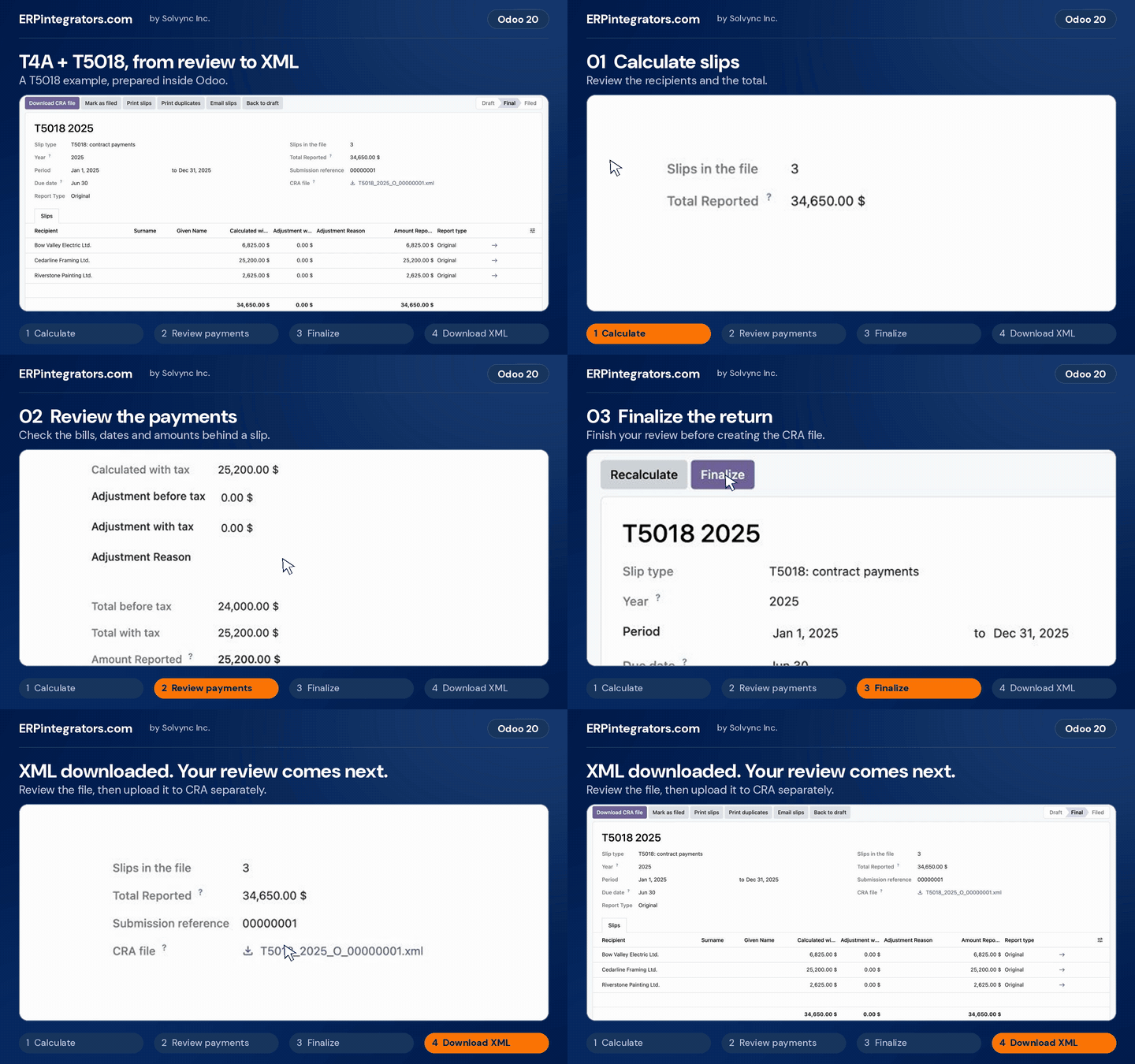
Animation starts only when you play it. The silent video has pause and seek controls. Choose any supported version above.
What goes on a slip
Two information returns, each with its own rule for what counts and when a slip is due.
T4A, box 048
Fees for services paid to self-employed people and businesses, before GST/HST and PST, for each recipient paid more than $500 in the calendar year.
T5018
Payments to construction subcontractors, GST/HST and PST included, for the calendar or fiscal year you report on. By default a slip is issued when the services part, tax included, reaches $500, as Form T5018SUM describes. A setting applies the slip page's test of more than $500 before tax instead.
File T5018 only if more than half of your business income comes from construction. Other payers report construction subcontractors in T4A box 048. Decide which applies to you with your accountant.
Counted from the payments you made
Amounts come from what you paid. A bill dated in December and paid in January counts in January, and a refund lowers the total. A credit note applied to a bill counts as settling both, each at its own mix of services and goods. Foreign-currency bills count the Canadian dollars actually paid, and an early payment discount reduces only the bill that earned it.
On T4A, goods on a bill are left out of box 048. On T5018 a bill that mixes construction services and goods is reported whole by default, as Form T5018SUM describes, and a setting reports the services lines only.
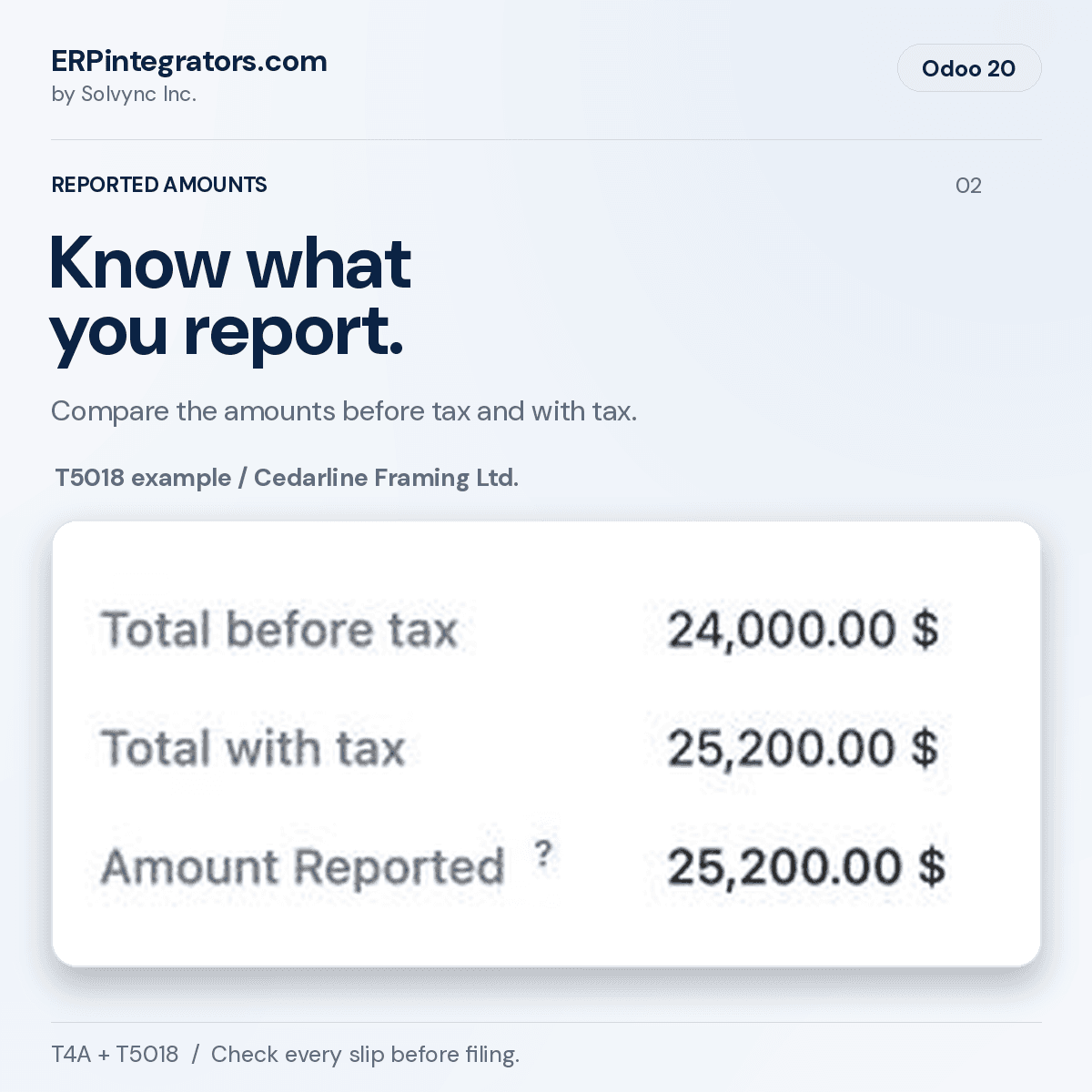
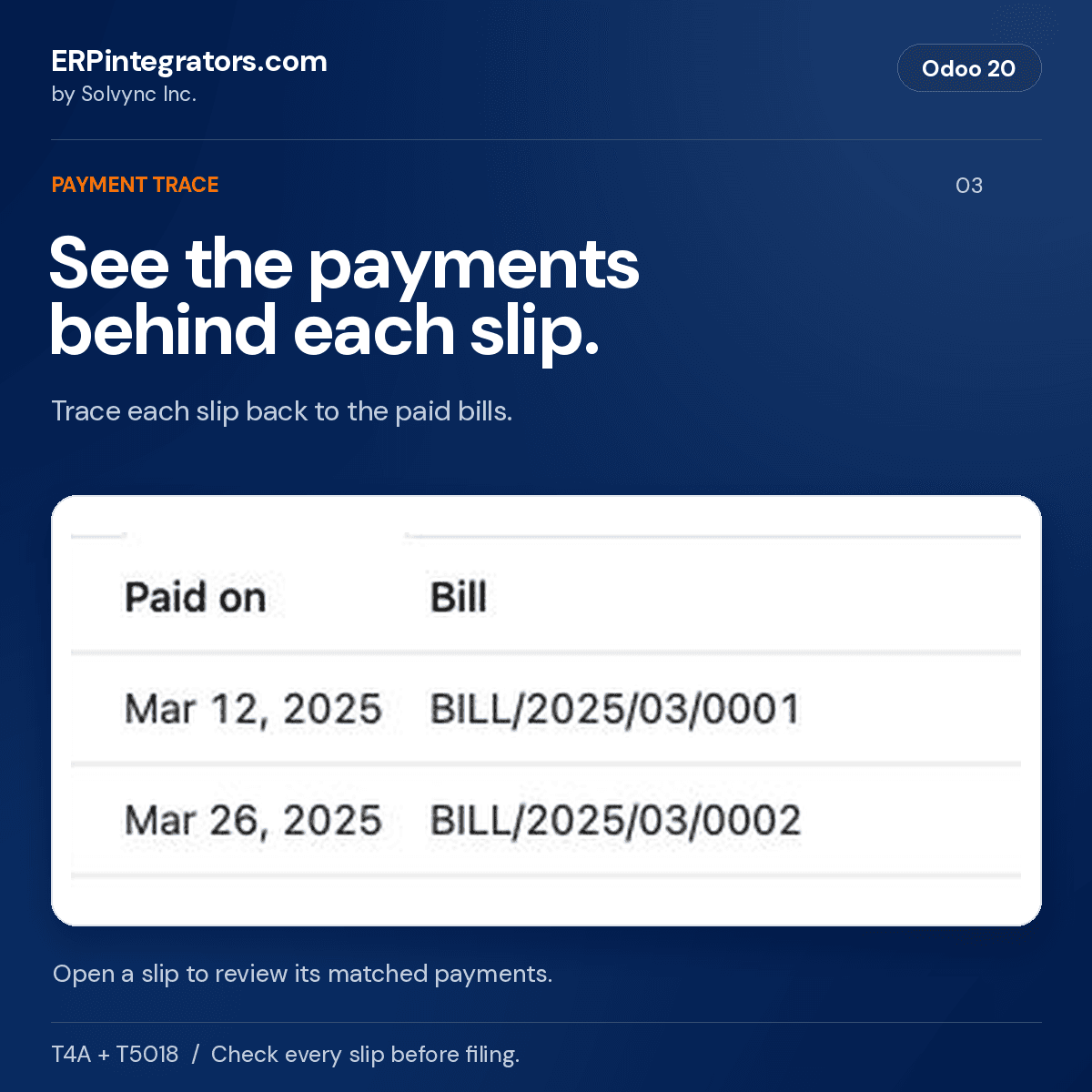
In the fictional T5018 example, Cedarline Framing Ltd. has CAD24,000 before tax and CAD25,200 reported with tax. Two matched bills support that amount.
Setting it up
Your CRA accounts
In Accounting settings (Invoicing on Community), enter the payer's RP account for T4A and RZ account for T5018, how you sign in to CRA's Internet File Transfer, the filing contact CRA calls, and whether T5018 follows the calendar year or your fiscal year.
The accounts you pay contractors from
Tag the expense accounts with T4A box 048: fees for services or T5018: construction services. Bill lines on those accounts count for contacts set to the slip. If you hold back part of each subcontractor bill, tag the holdback account too, so holdbacks count when they are paid.
Each contractor
On the contact, set Canadian slip to T4A or T5018 and choose the recipient type. Individuals need a SIN, and businesses use the Tax ID field for their business number. Tick Slips by email only when the recipient has agreed to it.
From calculation to the CRA file
Step 1
Calculate
Create the return on the main company, choose T4A or T5018 and the year, and click Calculate slips. Each slip shows the amount, the payments behind it and any warning: a missing SIN or business number, an incomplete address, a payment not matched to a posted bill.
Step 2
Correct
Fix the contact or the bill and recalculate, or enter an adjustment with its reason. Adjustments are logged and survive recalculation. The return also names vendors paid on tagged accounts whose contact is not set to the slip.
Step 3
Finalize
The module refuses to finalize if bills, payments or contacts changed since the last calculation. It checks the settings and every slip, builds the XML file and validates it against CRA's schemas.
Step 4
File and deliver
Upload the file through CRA's Internet File Transfer, mark the return as filed and record the confirmation number. Then email or print the slips; recipients with a portal login can download theirs.
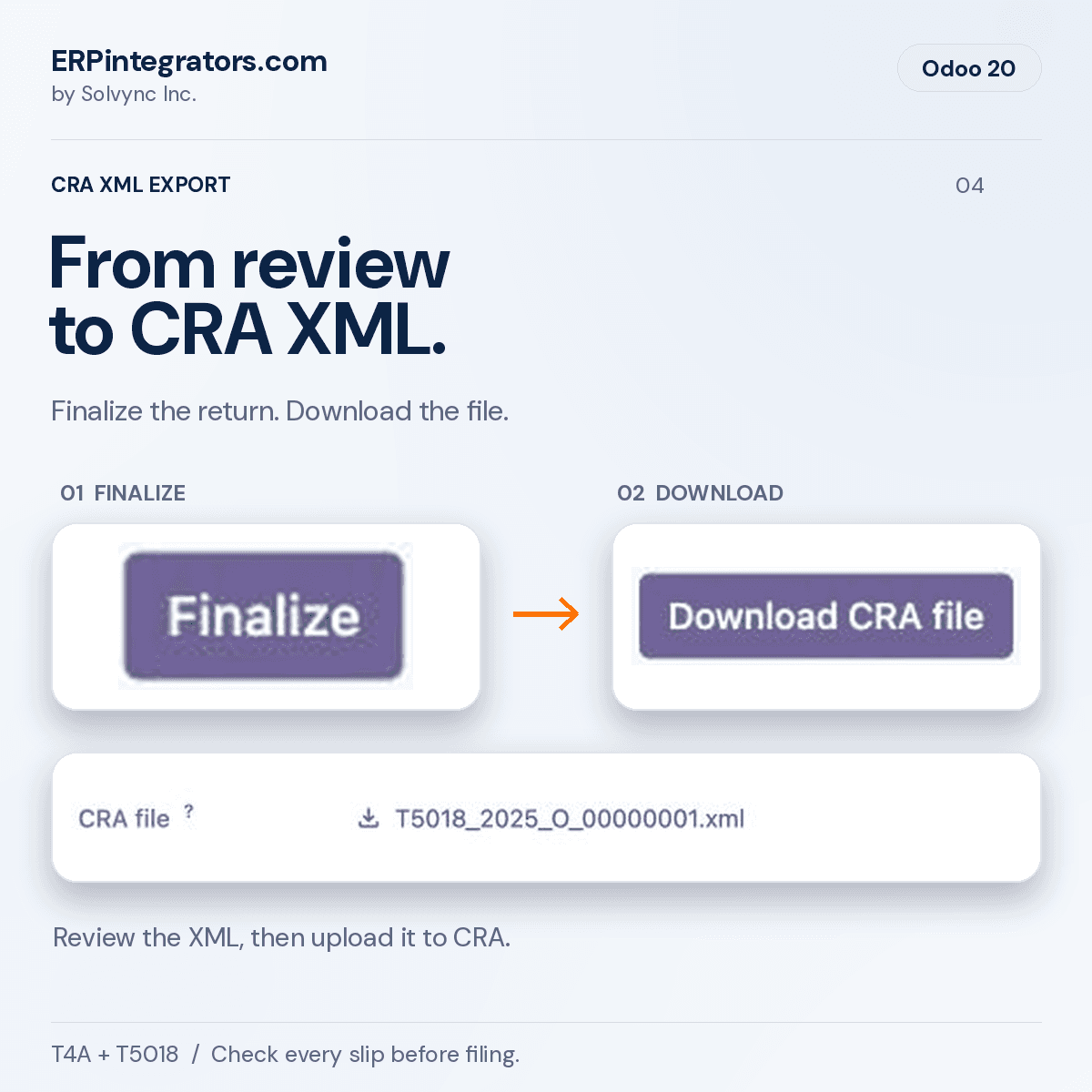
Schema validation checks the file's format only. It cannot tell you whether amounts or identifiers are correct, or whether CRA will accept the return.
Getting slips to recipients
Email, with consent
Email slips queues a message for each recipient who agreed in writing or electronically. A scheduled job sends them within a few minutes and never sends the same slip twice. Each slip shows whether its email is queued, sent or failed.
The portal
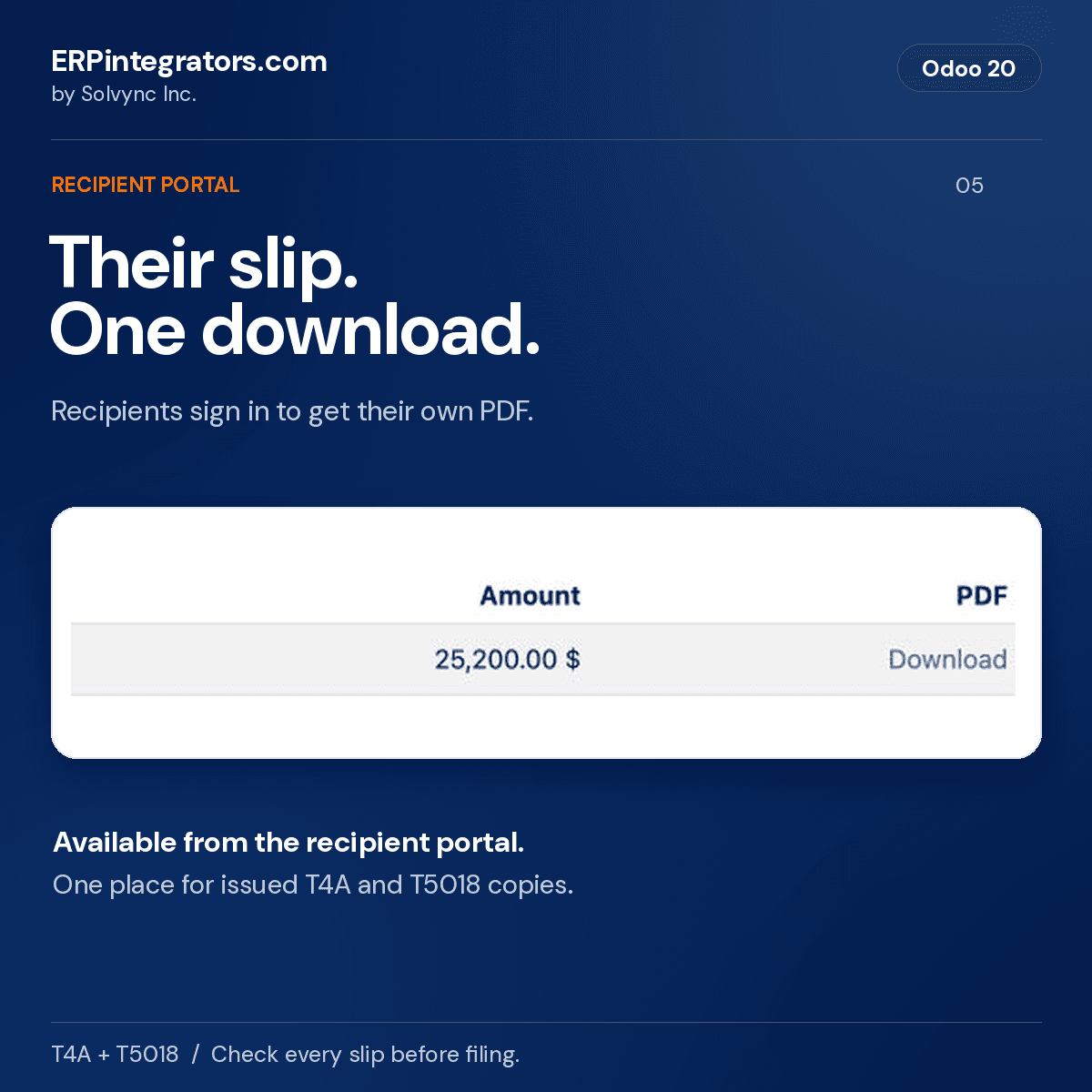
Recipients with a portal login find their slips under Tax slips on their portal home page and download the PDF themselves.
Paper
Print slips puts two copies of each slip on one sheet, laid out to follow CRA's rules for slips you print yourself (Information Circular IC97-2R20). Print duplicates marks replacements DUPLICATE.
Amendments
Amend a filed return or cancel a slip with the report codes CRA expects. Recipients get a copy marked amended or cancelled.
Who sees a SIN
The full SIN shows to accounting administrators and to the recipient signed in to the portal. Anyone opening a shared link, and read-only accountants, see the last three digits. Each main company keeps the SIN it collected.
Solvync receives none of this data. The only outside call the module makes downloads CRA's public schemas from canada.ca. Odoo stores SINs in the database and its backups without encryption, so give accounting administrators two-step login.
Dates for the 2027 filing season
T4A slips for 2026
Due to CRA and to each recipient by the last day of February 2027. That day is a Sunday, and CRA counts a return as on time when it receives it, or it is postmarked, by the next business day: Monday, March 1, 2027.
T5018 returns
Due six months after the end of the reporting period you chose. A calendar-year 2026 return is due June 30, 2027.
2026 submission format and the January rollover
The module validates new XML against CRA's 2026 package now and selects the 2027 package from January 11, 2027, using Eastern time. The submission date determines the package, independently of the income year. CRA's internet filing services close for year-end maintenance from December 22, 2026 and reopen on January 11, 2027. Existing final and filed XML stays unchanged.
CRA publishes these rules on canada.ca: When to file information returns, Current CRA XML submission specifications, Distribute the slips.
What it leaves out
The module's roadmap lists these. If one of them is your situation, plan for it before you file.
- Quebec RL-1
- RL-1 slips (box O, code RD) are not produced. Revenu Québec requires software certification for RL-1 XML.
- T4A box 022
- If you withheld income tax from a contractor, which is rare, CRA needs a slip for them whatever the amount. Set their bills to Not reported and file that slip separately, for example with CRA's Web Forms.
- T4A-NR
- Fees paid to non-residents for services in Canada belong on the T4A-NR, which this module does not produce. A contact with an address outside Canada is left out and listed on the return so you can confirm it.
- Other T4A boxes
- The $500 test looks at box 048 alone. CRA adds up all T4A boxes, so a recipient you pay other T4A amounts elsewhere may need a box 048 slip below $500.
- Removing old SINs
- No tool yet removes SINs from final or filed returns once the six-year record period ends. Agree with your accountant how you will destroy them.
- Branch program accounts
- Returns belong to the main company and file under its RP or RZ account. A branch that files under a program account of its own cannot have its own return yet.
- Odoo Online
- Odoo Online databases cannot install modules from the app store. The module needs Odoo.sh or a server of your own.
Before you file
This module helps you prepare T4A and T5018 returns for the Canada Revenue Agency. It gives no tax, accounting or legal advice; decide what is reportable with your accountant.
You remain responsible for every slip, the file you upload, deadlines, delivery to recipients, and any CRA penalty or interest. Check each slip against your records before filing.
Review mixed bills, the T5018 threshold, credit-note timing and allocation, and identifier corrections with your accountant. These cases need a decision against your own records and current CRA guidance; passing an XML format check does not settle them.
This software is licensed under the GNU Lesser General Public License, version 3. To the extent the law allows, it is provided as is, without warranty of any kind, including as to accuracy, and Solvync Inc. is not liable for any loss arising from its use.
Questions
The Odoo Apps price is US$199 for each Odoo version. The GNU LGPL version 3 license and public source repository remain available. Hosting and Odoo subscriptions are separate. Bug fixes and configuration advice follow the Odoo Apps support terms; installation, customization and other services are quoted separately.
Odoo 17, 18, 19 and 20, Community and Enterprise, on Odoo.sh or your own server. On Community the menu sits under Invoicing; on Enterprise it sits under Accounting. Odoo Online databases cannot install it.
It writes the XML file and checks its format against CRA's schemas. You upload the file yourself through CRA's Internet File Transfer, then mark the return as filed and record the confirmation number.
Open it. The slip lists every bill and payment behind its amount, with the date each payment was made, and shows any warning the calculation raised. Compare each slip with your records before you file.
Yes, to recipients who agreed to receive slips by email. CRA requires that consent, in writing or electronically, before slips are emailed. Emailed slips carry the full SIN over ordinary email.
No. Revenu Québec requires certified software for RL-1 XML, and this module produces federal T4A and T5018 slips only.
Screens show the matching Odoo Community version with the module installed. Names, amounts and records are fictional. The example is a closed 2025 T5018 calendar return using the 2026 submission format.
Start February with the slips already added up
Thirty minutes, Mountain Time, with the firm that maintains the module. Bring your chart of accounts and your contractor list, and we will look at what it takes to set this up on your Odoo before the filing season.
Book a 30-minute call